As organizations accelerate AI adoption, balancing innovation with security and compliance has become a critical business challenge. Employees increasingly rely on AI tools to improve productivity, automate workflows, and enhance decision-making, creating new pathways for sensitive information to leave the organization.
Traditional approaches to AI governance, including policies, awareness programs, and training provide important foundations but often lack visibility and control at the point where data is shared. This creates a gap between governance requirements and day-to-day AI usage.
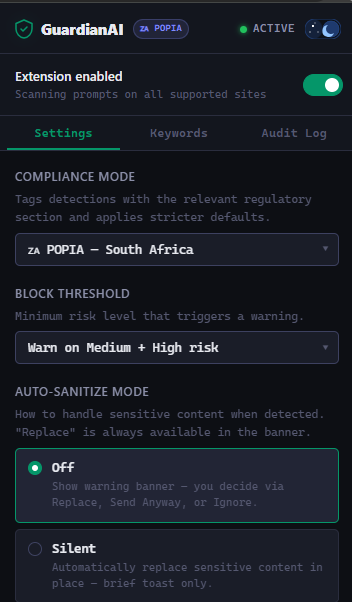
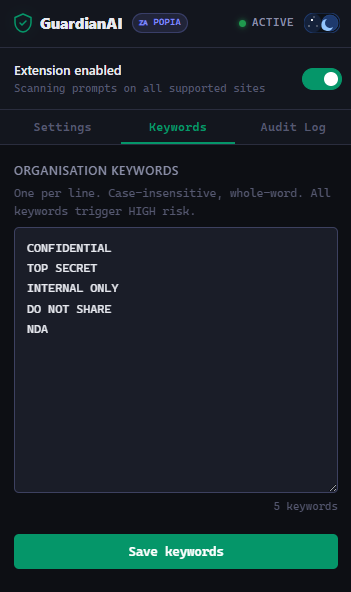
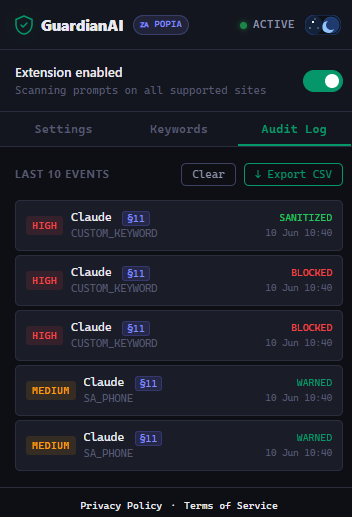
GuardianAI bridges that gap by delivering real-time protection directly within the browser. The platform continuously monitors interactions with AI applications, identifies sensitive information before it is submitted, and helps organizations enforce governance policies without disrupting productivity.
By combining proactive data protection with seamless user experiences, GuardianAI enables enterprises to embrace AI confidently while reducing compliance risk, safeguarding intellectual property, and maintaining control over sensitive business information.
The result is practical, scalable AI governance that empowers organizations to unlock the benefits of AI while meeting security, privacy, and regulatory requirements.